The Basics
In this step, you will create a straightforward application serving a hello endpoint. To demonstrate dependency injection this endpoint uses a greeting bean.

Explore the IDE
This workshop’s IDE is based on Eclipse Che (which is in turn based on MicroSoft VS Code editor).
-
Explore the icons on the left for navigating between project explorer, search, version control (e.g. Git), debugging, and other plugins. You’ll use these during the course of this workshop. Feel free to select them and see what they do:
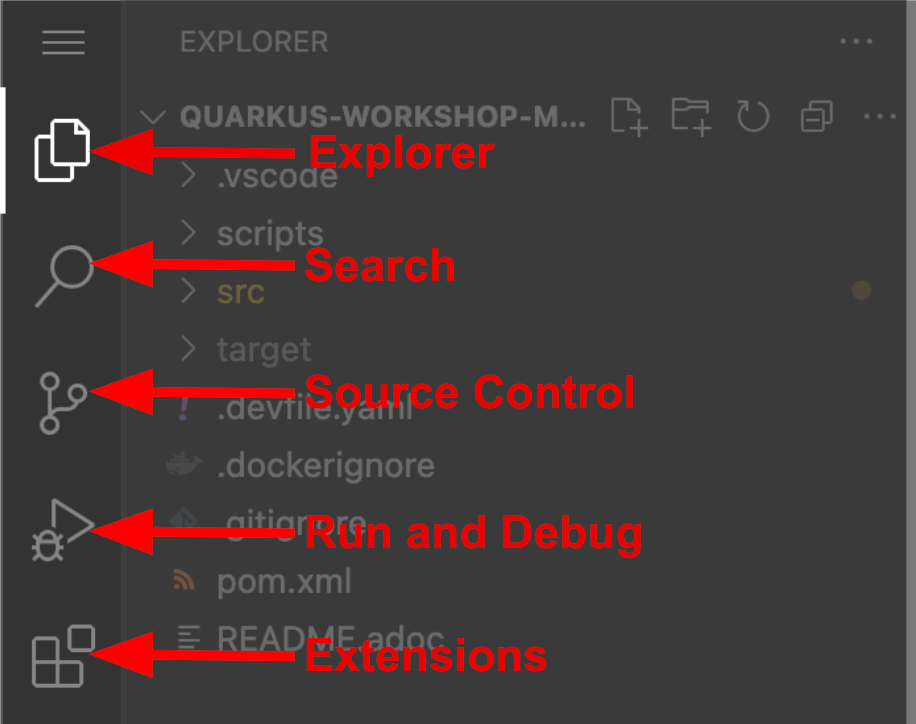
If things get weird or your browser appears, you can simply reload the browser tab to refresh the view. -
Many features of VS Code are accessed via Command Palette. You can see a few of the tutorials on the Get Started page (e.g. Login/Provision OpenShift Cluster, Create Component from Devfile registries webview, and others).
| If you ever need to run commands that you don’t see in a menu, you can press F1 to open the command window, or the more traditional Control+SHIFT+P (or Command+SHIFT+P on macOS). |
Explore the Project
Let’s take a look at the Explorer menu on the left hand of the IDE. Your Quarkus project was already imported when the workspace was created.
-
The project contains:
-
The Maven structure
-
An
org.acme.people.rest.GreetingResourceresource exposed on/hello, along with a simple test -
A landing page that is accessible on
http://localhost:8080after starting the application -
The application configuration file
-
Other source files we’ll use later
-
-
Navigate to
src → main → java → org.acme.people.restin the project tree and selectGreetingResource.java.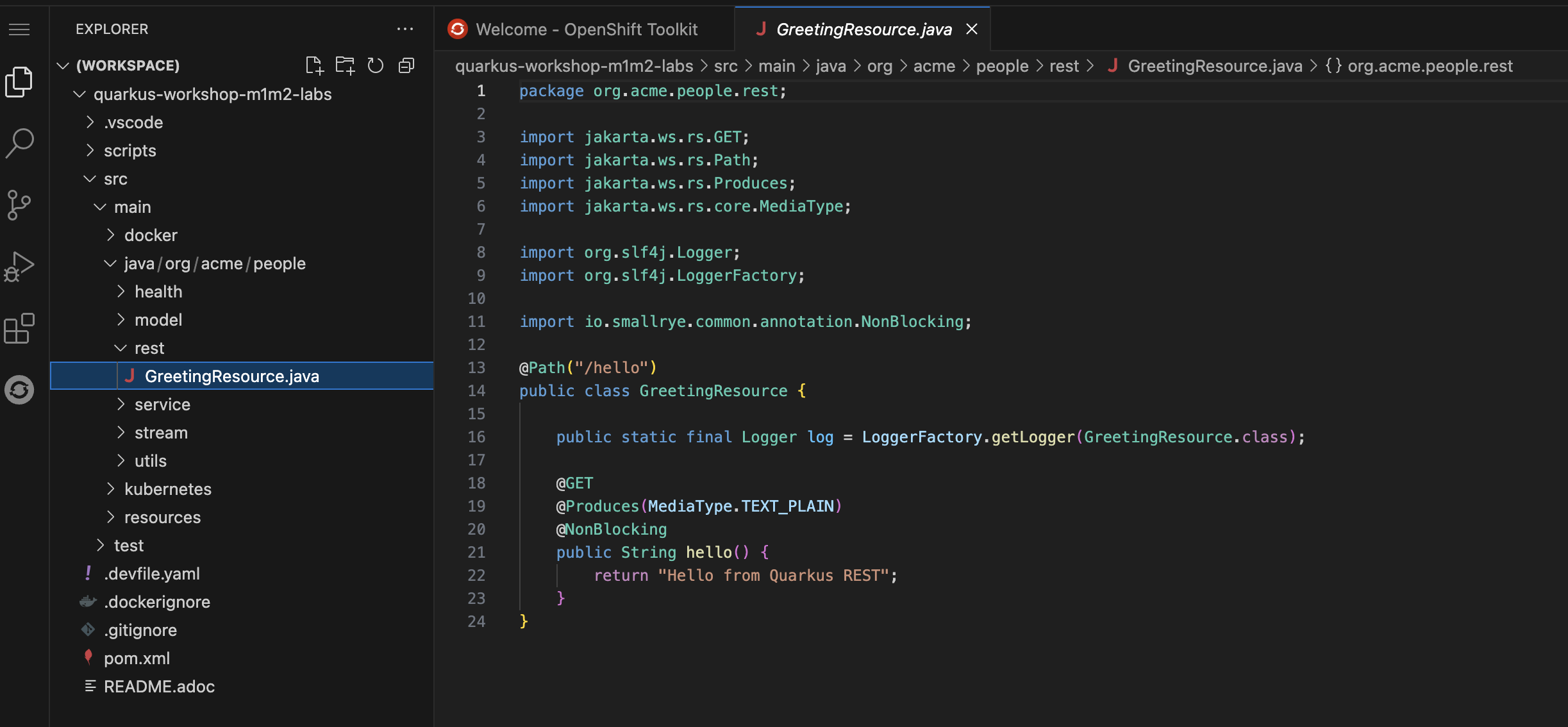
-
This class has a very simple RESTful endpoint definition that returns hello to requests on
/hello.@Path("/hello") public class GreetingResource { @GET @Produces(MediaType.TEXT_PLAIN) public String hello() { return "Hello from Quarkus REST"; } }Compared to vanilla JAX-RS, with Quarkus there is no need to create an
Applicationclass. It’s supported but not required. In addition, only one instance of the resource is created and not one per request. You can configure this using the differentScopedannotations (ApplicationScoped,RequestScoped, etc).