Package the app
Quarkus apps can be packaged as an executable JAR file or a native binary. We’ll cover native binaries later, so for now, let’s package this as an executable JAR.
-
In the terminal, run the following Maven command (not in Quarkus Dev Mode):
mvn clean package -DskipTests -
This produces an executable jar file in the
target/quarkus-app/directory: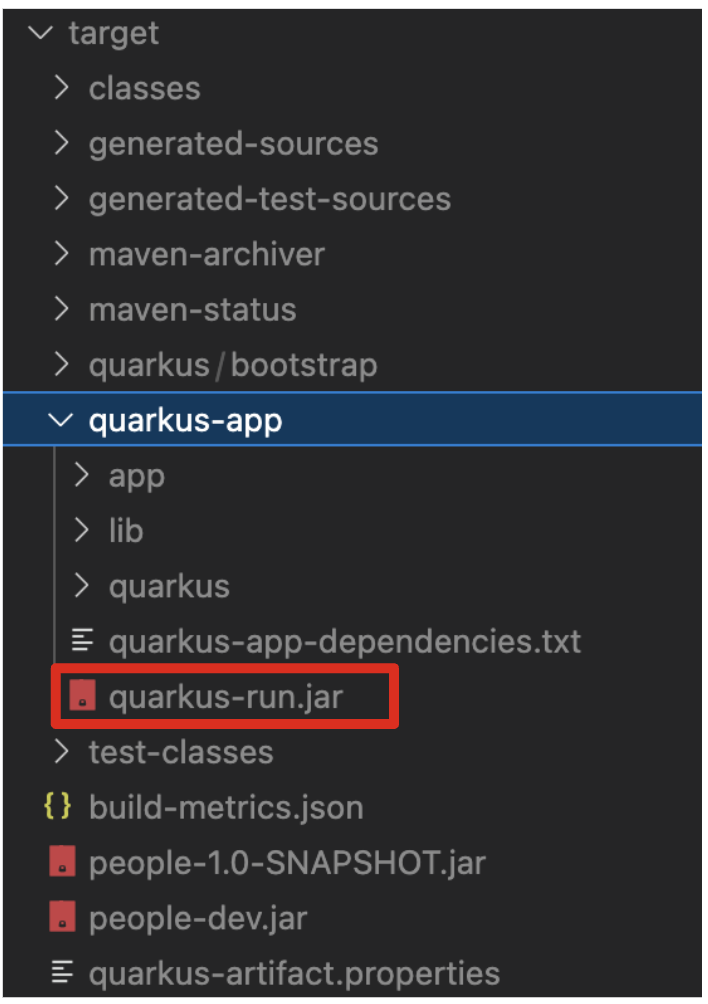
quarkus-run.jar- being an executable fast jar. Be aware that it’s not an über-jar as the dependencies are copied into thetarget/libdirectory.
Run the executable JAR
-
Run the following command in the terminal:
java -Dquarkus.http.port=8081 -jar target/quarkus-app/quarkus-run.jarWe use
-Dquarkus.http.port=8081to avoid conflicting with port8080used for Live Coding mode -
With the app running, open a new terminal window, and ensure the app is running by executing a
curlcommand:curl http://localhost:8081/hello -
You should see:
Hola from Quarkus REST
Cleanup
Go back to the terminal in which you ran the app with java -jar and stop the app by pressing kbd:[CTRL+C]. Be sure not to close the "Start Live Coding" terminal!
Congratulations!
You’ve learnt how to build a basic app, package it as an executable JAR and start it up very quickly. The JAR file can be used like any other executable JAR file (e.g. running it as-is, packaging as a Linux container, etc.)
In the next step we’ll inject a custom bean to showcase Quarkus' CDI capabilities.